Stop scrolling.
Start cooking.
Share or paste a cooking video link and SavePlate's AI pulls out the ingredients and steps, keeps the original video and credits the creator — then plans your week and writes the grocery list.
Free to download · 5 free AI extractions included
Everything a cookbook does.
None of the clutter.
Share or paste, get a recipe
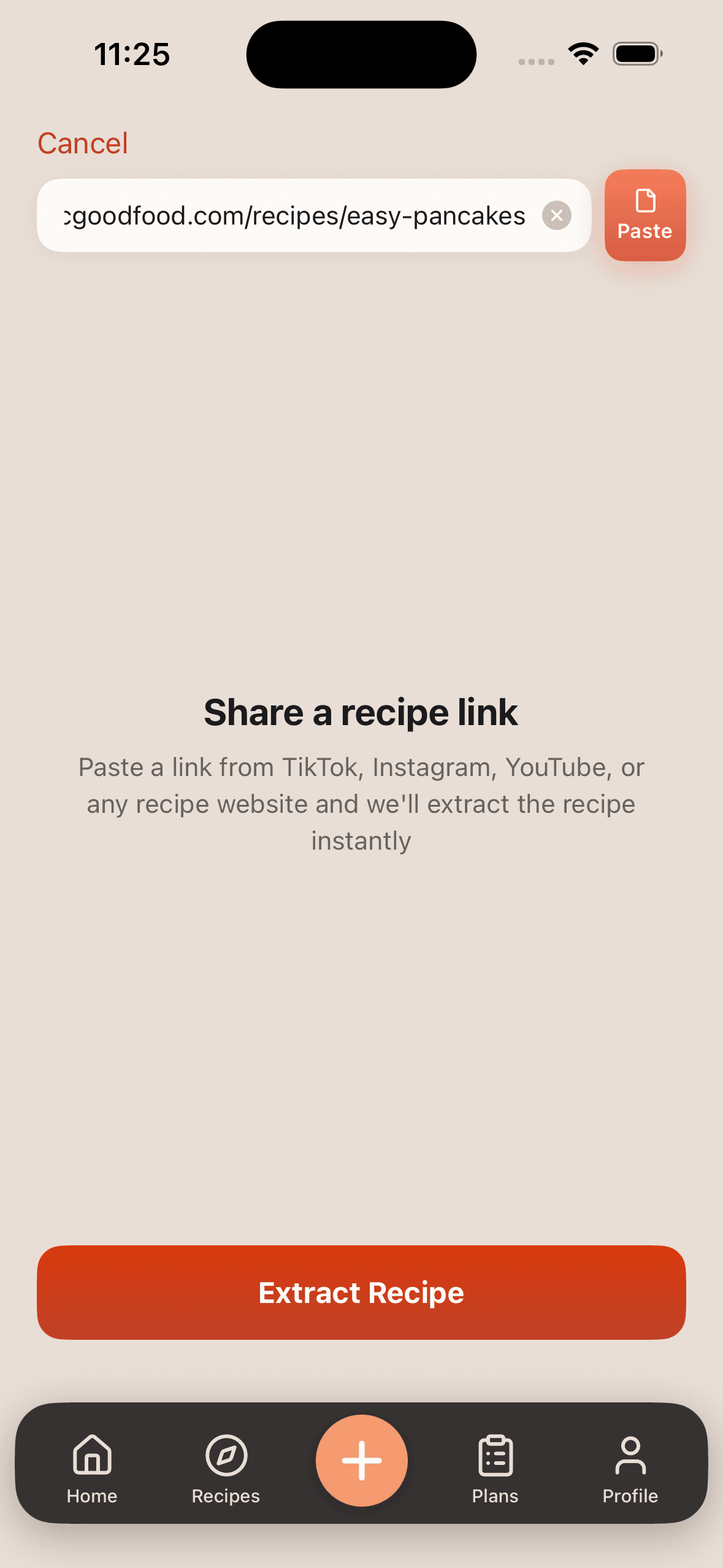
Send a TikTok, Instagram or YouTube video to SavePlate, or paste any recipe link, and tap Extract Recipe. The AI turns it into a clean recipe card.
Collections that make sense
Group recipes into collections like Weeknight Dinners or Pasta Night, each with a photo grid so you find the one you want at a glance.
Drag-and-drop meal plannerPro
A Monday-to-Sunday week. Search your vault, drag recipes onto days, and move them around until the week works.
One grocery list for the weekPro
Generate Grocery List merges the ingredients of every planned recipe into one list, grouped by Produce, Dairy & Eggs, Meat & Seafood and more.
The source video, one tap away
Every saved recipe credits the creator and keeps a Watch source video button, so you can check the technique while you cook.
Tick it off as you go
Ingredients sort into Produce, Pantry and Dairy chips and every ingredient and step has a checkbox. AI-extracted amounts are flagged for a quick check.
See it in action.
Recipe in, dinner planned.
Home
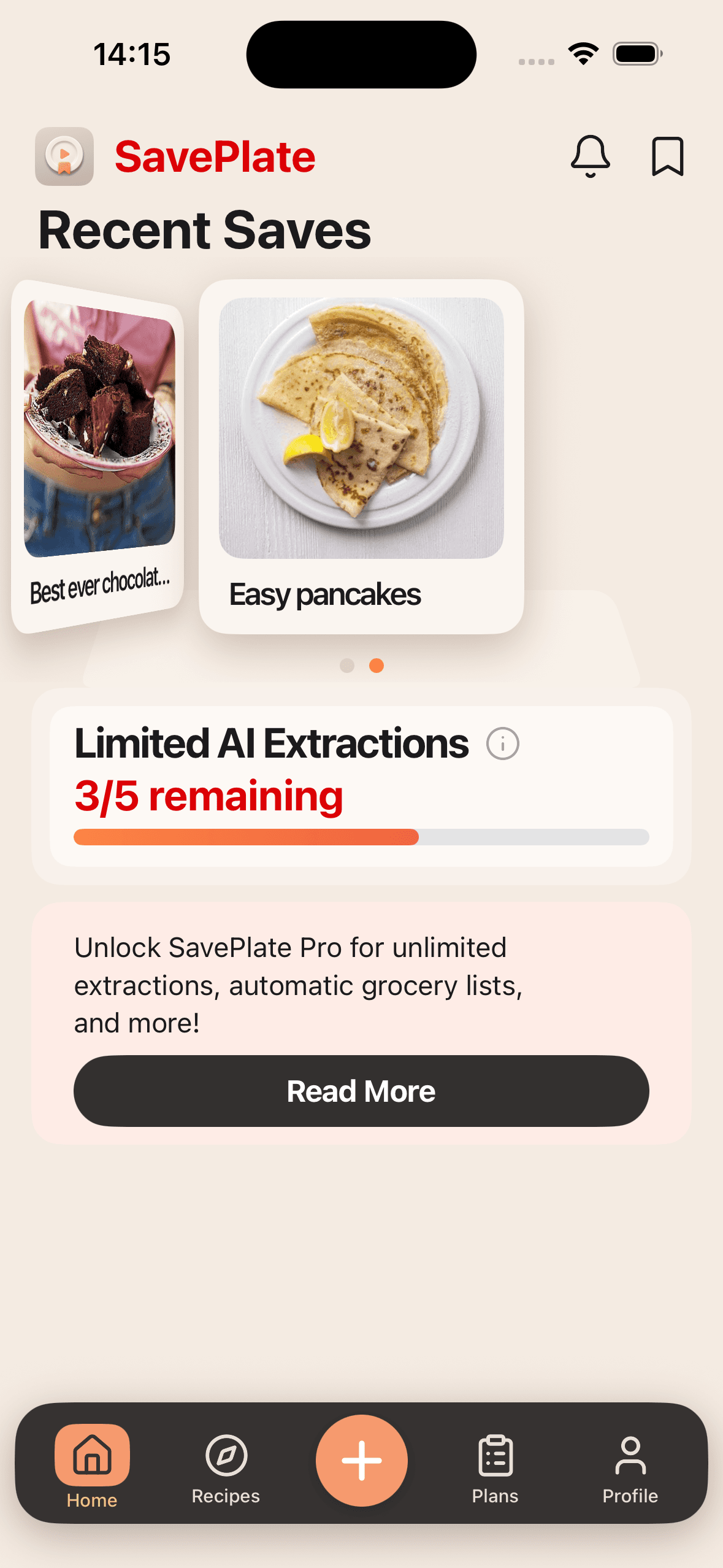
Recent Saves in a swipeable carousel, and a tracker that shows how many free AI extractions you have left.

From scroll to meal plan
in four steps
Find a recipe video
Scroll TikTok, Instagram Reels or YouTube like you already do. Spot something you want to cook — that is all you need.
Share or paste it into SavePlate
Share the video to SavePlate, or tap + and paste the link from any recipe website, then tap Extract Recipe.
Check and save
You get a recipe card with ingredients, steps, the creator and the source video. Fix anything the AI got wrong, then save it to a collection.
Plan, shop, cook
With Pro, drag recipes onto your week, tap Generate Grocery List, and walk into the store with one list grouped by aisle.
Start free.
Upgrade when you cook more.
Free
Download SavePlate and try it on your own recipes.
- 5 AI recipe extractions
- Recipe vault and collections
- Source video and creator credit on every recipe
- Add recipes by hand
Upgrade to Pro
Save 33%Less scrolling. More cooking.
- Unlimited AI ExtractionsSave every recipe from any video.
- Meal PlannerAccess the full drag-and-drop calendar.
- Auto-Consolidated Grocery ListsGenerate organized lists instantly.
Subscribe in the app. Auto-renews, cancel anytime.
What kind of home cook are you?
Take this 30-second quiz and we'll show you exactly how SavePlate fits your kitchen routine.
Ready to
stop losing recipes?
Every recipe you scroll past is a dinner you could have planned. Save the next one instead.
Download SavePlate